Launching your first Shopify store is exciting. But, let’s be honest, it can also feel like trying to find a light switch in a pitch dark room. When I helped a friend set up her store selling handmade home décor, I spent hours tweaking fonts and colors… but completely forgot to activate her payment gateway. The result? A beautiful store with zero ability to accept orders for two whole days. That’s the kind of mistake no one warns you about.
Most Shopify Stores Don’t Fail Because of Bad Products. They Fail Before the First Sale.
Whether you’re starting a side hustle, building a DTC brand, or switching from another platform, Shopify makes it incredibly easy to get started, but also equally easy to miss the small things that actually matter. The truth is: most new stores don’t fail because the founder is lazy or the product is bad. They fail because the foundation was shaky from day one. Rushed setup, unclear targeting, no mobile optimization, default SEO settings… I’ve seen it all.
Over the past few years, I’ve helped dozens of new store owners avoid costly launch mistakes and fix them when it’s already too late. This guide walks you through the 7 biggest mistakes I see first time store owners make and how to dodge them before they cost you sales, trust, or sanity. But before I start that, let’s understand what a good launch actually looks like.
Why Getting the Launch Right Matters More Than You Think
It’s easy to assume your store launch is just a one-time event. Hit publish, share the link, and you're done. But here’s the truth: how you launch sets the tone for how your entire business performs in its early months. I’ve seen clients spend weeks on product sourcing and branding, only to launch without checking if their checkout flow works smoothly on mobile. Others set up beautifully designed stores, with zero real traffic plan. And then they wonder why nothing’s converting.
The launch isn’t just about going live. It’s about making sure the right people find you, trust you, and can buy without friction. It’s your first impression, your soft open, your entire foundation. And it’s often the difference between a store that quietly fizzles out and one that makes its first 50 sales in a month. If you're wondering “Is Shopify beginner-friendly?”, it absolutely is. But beginner-friendly doesn’t mean autopilot. The good news? You don’t need to get everything perfect. You just need to avoid the landmines. And it starts by knowing what you actually need before launch, not what the YouTube tutorials say, but what real founders forget until it’s too late.
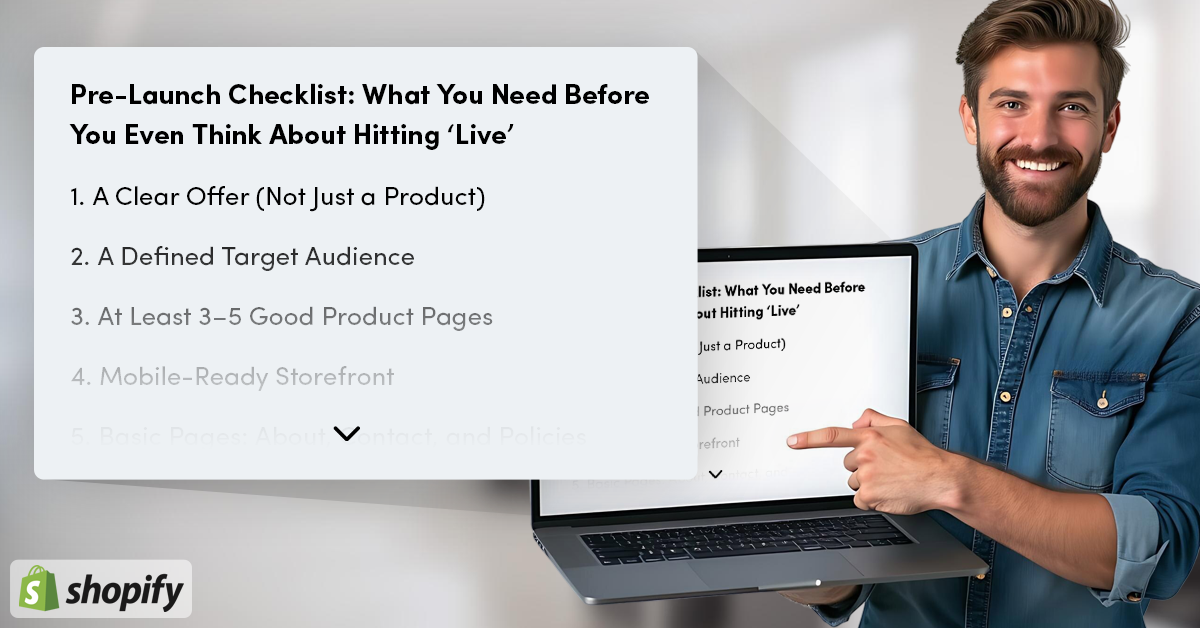
Pre-Launch Checklist: What You Need Before You Even Think About Hitting ‘Live’
Before you worry about apps, themes, or tracking pixels, let’s make sure your essentials are in place Here’s a simple pre-launch checklist I run through with every client before I even think about pushing a store live. It’s not fancy but skipping even one of these can create bigger problems later.
-
A Clear Offer (Not Just a Product)
- This one’s easy to miss.
- You’re not just selling candles, or tees, or skincare.
- You’re selling a reason for someone to stop scrolling and click “Add to Cart.”
- Make sure your product solves a real problem or fits into a real moment. Even better if it’s specific to a niche audience.
- No clarity on the offer = no clarity in your store.
-
A Defined Target Audience
If you’re trying to sell to “everyone,” you’re actually selling to no one. You don’t need a 3-page persona document, but you do need to know who your product is for, why they’d buy it, and what might stop them.
-
At Least 3–5 Good Product Pages (Not 30 Half-Done Ones)
Each should have:
- A clear title
- A benefit-led description
- 2–3 high-quality images
- Shipping info
- A visible CTA
That’s it. You can add more later. But your early traffic deserves polish, not placeholders.
-
Mobile-Ready Storefront
- More than 70% of your traffic will come from mobile.
- If your images don’t load fast, your buttons don’t fit the screen, or your text gets cut off, people bounce.
- Pick a mobile-optimized theme.
- Then actually test your site on a phone before launch day.
-
Basic Pages: About, Contact, and Policies
You don’t need to overthink this. But skipping them completely makes your store feel unfinished (and untrustworthy).
- Write a short About page with why you started
- Add a Contact page with a working form or email
- Use Shopify’s default templates for refund, privacy, and terms and just customize lightly
-
Domain + Email That Match
It’s not mandatory, but it adds a layer of trust when your site isn’t just yourstore.myshopify.com. Same with your email. support@yourbrand.com just feels more legit than brandname@gmail.com.
-
A Simple Traffic Plan
No, you don’t need paid ads from day one. But how are people supposed to find your store? Have at least one warm up channel:
- An IG profile with some posts
- A WhatsApp group with friends and early buyers
- A short email list of past customers or beta testers
You’d be surprised how far 30 real people can take you on day one, if you actually tell them. This checklist is your launch safety net. If you can confidently say yes to most of the points above, you’re already ahead of half the new stores out there. Next up, let’s walk through the 7 launch mistakes that can still catch you off guard, even if the basics are in place.
Top 7 Mistakes That Can Still Break Your Shopify Store Launch
Mistake #1: Mistaking Aesthetic for Strategy
You pick a great theme. You add a bold color palette. You spend two days choosing the perfect font pairing. But then... no sales. That’s because a good-looking store isn’t the same as a store that converts. The number one mistake I see is founders focusing too much on design, and not enough on flow. If your homepage doesn’t show what you sell, why it matters, or where to click next, you’re losing potential customers. It’s a visual portfolio, not a sales engine. Instead of obsessing over every pixel,
focus on:
- Clear above the fold messaging
- Simple navigation
- Visible trust elements (like reviews, secure badges, shipping info)
- A product grid that loads fast and looks great on mobile
Design is meant to support conversion, not replace it.
Mistake #2: Launching Without Knowing Who You're Selling To
This one’s quiet but deadly. If you can’t answer “Who is this for?” without fumbling, your marketing will reflect that. Vague targeting leads to vague messaging, and vague messaging leads to people bouncing in 5 seconds. Even if you're still figuring things out, define a clear starter persona.
Ask:
- What does this person already use instead?
- Why would they switch?
- What would stop them from trusting your store?
You don’t need to get it perfect, but you need to get specific. This also helps with everything from ad copy to product descriptions to homepage layout, because you’re not guessing anymore.
Mistake #3: Leaving Shopify’s Default Settings As Is
You’d be surprised how many stores go live with:
- No custom SEO titles or descriptions
- No Google Analytics or Facebook Pixel
- No abandoned cart emails set up
- Legal pages half-written or missing
I get it. The Shopify dashboard is clean, and defaults seem “good enough.” But they aren’t optimized for performance. They’re just placeholders. Fix this before launch:
- Add unique meta titles and meta descriptions to key pages
- Turn on abandoned cart recovery emails (they’re free and save sales)
- Add Google Analytics and test it with a real visit
- Customize your checkout settings, confirmation emails, and currency
Think of it like this: Shopify gives you the bones, but it’s your job to make the skeleton move.
Mistake #4: Starting With Too Many Products (and No Real Focus)
It’s tempting to launch with everything you’ve got. You spent weeks sourcing 25 products. Why not list them all, right? Here’s why: too much choice confuses customers and slows down your launch. When someone lands on your site and sees 30 random items across categories, they can’t figure out what you’re really about. And if they can’t figure that out in the first 10 seconds, they leave. Instead, launch with 3 to 5 well-positioned products.
focus on:
- High-quality images
- Clear, benefit-first descriptions
- A homepage that showcases them without clutter
A tight offer builds trust. You can always expand later after you’ve validated demand. Your goal at launch is not to have a big catalog. It’s to make the first 10 sales.
Mistake #5: Ignoring Mobile Optimization (Even in 2025)
It’s wild how often this still happens. More than 70% of Shopify traffic happens on mobile, yet many founders still build and test everything on desktop. They launch, then wonder why bounce rates are high, or why the checkout button is getting ignored.
Here’s the fix:
- Use a mobile-optimized Shopify theme
- Check your store on multiple phones before launch
- Test buttons, images, and load speed
- Avoid pop-ups that cover the entire screen
A store that looks great on desktop but breaks on mobile is a store that’s leaking revenue.
Bonus tip: Run your site through Google PageSpeed Insights and see how it scores on mobile. You’ll be surprised.
Mistake #6: Pricing Without Strategy
This one’s sneaky. A lot of new founders either:
- Underprice out of fear
- Overprice because “premium = better”
- Copy competitor prices without knowing the margins
But pricing is more than a number. It’s a reflection of your positioning, your costs, and your customer’s perceived value. Here’s a simple sanity check:
- Know your product cost, shipping, transaction fees, packaging, and ad budget
- Decide your minimum profit per order (not just revenue)
- Ask yourself: Would I pay this for the experience I’m offering?
You’re not just pricing a product. You’re pricing trust, quality, and the confidence to deliver.
Mistake #7: Launching Without Any Traffic Plan
This is probably the most common mistake I see. You set up the store. The design looks great. The products are live. Then you hit “Publish” and… wait. But here’s the reality: if you don’t have a traffic plan, your store is invisible. Shopify won’t magically send you visitors. Google won’t rank you overnight. And your first ad might flop if no one knows who you are.
What works better is:
- Sharing your store in WhatsApp groups or IG stories
- Emailing a short list of 20–30 warm leads (even friends)
- Offering a launch discount or early-bird deal
- Running 1–2 micro-influencer shoutouts to test traction
You don’t need a big budget to launch. But you need a plan. Don’t just “go live.” Make noise even if it’s small, but focused noise.

What To Do If You've Already Made These Mistakes
If you’ve already launched your store and caught yourself nodding through half the list above, don’t panic. Most of the successful stores you see today made these mistakes too. The difference? They fixed them before scaling. I’ve worked with store owners who came to me weeks after launch, thinking their product was the problem. But in most cases, it wasn’t the product, it was the friction. Slow mobile experience. No abandoned cart emails. Generic product descriptions. Broken CTAs on mobile. The good news? You can fix almost everything in under a week, and sometimes in a single afternoon.
Here’s what I recommend:
- Pick one issue per day to solve: start with mobile optimization and checkout flow
- Revisit your product pages: rewrite your top 3 to be benefit-first, not feature-dump
- Check your Google Analytics and Meta Pixel: make sure they’re tracking properly
- If you’re running ads, pause for now: fix the foundation first, then relaunch
And most importantly: get a second pair of eyes. You’ve been inside your store for too long to see what’s broken. Ask a friend to go from homepage to checkout on their phone, or book a short audit with someone who understands conversion. You don’t need a full rebuild. You just need clarity on what’s hurting your store’s momentum.
Final Checklist: Run Through This Before You Share Your Store
Before you drop your link on Instagram or send that first email blast, run through this in 5 minutes:
- Store looks clean and loads fast on mobile
- At least 1 product page is polished and easy to skim
- About, Contact, and Policy pages are live
- Checkout works tested on mobile with real clicks
- Meta titles and descriptions are written (not default)
- Google Analytics + abandoned cart emails are set up
- There’s a clear CTA on every major page
- You’ve told 10 real people that it’s live
If you checked most of these, you’re not just “launched.” You’re ready.
Conclusion: You Don’t Need a Perfect Store. Just a Clear, Focused One
Every founder wants their store to feel polished on day one. But the truth is, clarity beats perfection every time. If you’re still tweaking colors, adding products, or waiting until “everything feels ready”, pause right now! What your store needs is momentum, not delay. Get the essentials right. Avoid the mistakes that most people don’t see until it’s too late. And if you’ve already launched? Good. Now you’re one step closer to making it better. And if you’re not sure what’s holding your store back, I can help.
Whether you need a quick audit, a launch fix, or just someone to simplify all this for you. This is what I do, every day, for founders like you. Let’s make your store one that doesn’t just look great but sells.
Start Your Shopify Journey